A complete guide to absence reporting

In this blog, we’ll cover five essential areas for tackling absence reporting.
We hope you find this to be a useful resource as a best practice guide to absence reporting, ensuring you capture the key metrics needed to understand when, how and why sickness absence is occurring in your workplace.
Key absence metrics and how to calculate them
We’ll start with the basic metrics to capture, measure and track absence. These will give you an overall picture of how absence looks in your organisation, as well as the impact it is having on your teams and their productivity. Knowing these metrics will help you to identify areas for improvement, and set targets to help manage and even reduce sickness absence in the long-term.
- Absence rate: This can be used for an individual, a team, a specific location, or on a company-wide level. The formula to calculate an absence rate is (Total number of absence days ÷ Total number of available working days) x 100.
- Frequency and duration: Understanding short-term and long-term sickness absence is an important factor when considering improvement targets, additional support, or new initiatives you may wish to introduce into the workplace. Organisations may classify long-term sickness absence differently, but UK government guidance states that, as a general rule, a period of sick leave lasting more than four weeks is considered long-term.
- Cost of absence: When working out what the impact of sickness absence is for an organisation, direct costs (sick pay) and indirect costs (productivity loss, overtime cover) are key numbers to note when looking for an accurate figure.
- Benchmarking: Use data to compare your absence rates against industry norms. Public sector organisations, for example, tend to experience a higher level of sickness absence than private sector organisations. Similarly, sickness absence in high-stress or very physical roles, such as healthcare and construction, may experience higher levels of absence than desk-based workers. Knowing this benchmarking data will help you to highlight any unusual trends in your own organisation that go against the grain when compared with competitors.
Bradford Factor scoring
The Bradford Factor is a scoring method used to measure the impact of short-term employee absence in an organisation. It focuses on short, frequent bouts of absence, as it is based on the idea that this type of absence is more disruptive than longer, less frequent absences.
A person’s Bradford Factor score is calculated as follows:
Number of absences2 x Total number of days absent
You can then set appropriate trigger thresholds (e.g. 100, 200, 300 points) depending on your company’s policies surrounding what it deems as excessive absence.
Once an employee has reached a certain Bradford Factor score, interventions can take place to address it.
This scoring method has it pros and cons. It’s easy to calculate, and can help to identify absence patterns where simply knowing the total number of absence alone may not be helpful. It helps to create trigger points whereby HR and people managers can step in where needed once somebody has reached a certain score.
On the other hand, it doesn’t take context into account. There may well be legitimate reasons for an employee’s frequent absences, and drilling this down to a simple number overlooks this.
If used rigidly by an organisation, it carries the risk of increasing stress and resentment amongst your workforce, who will be wary of their score and want to protect it from increasing too much. Organisations need to strike a balance between identifying problematic absence patterns, and ensuring that employees feel safe and able to take time off when they are genuinely ill. You can check out our free Bradford Factor Calculator here.
Absence triggers and policy alignment
It’s essential to decide upon what your absence triggers are for your organisation, or to review existing triggers you have in place once a year or so.
These triggers will aid your reports, by providing consistent metrics on which to measure employees’ absence levels.
An example of an absence trigger might be three occurrences of sickness absence in 12 months, or hitting a certain Bradford Factor score.
These triggers should then be aligned with your absence management policy, which will outline what actions should follow once a trigger is met. For example, this might be a return-to-work interview, a 1-2-1 with a line manager, occupational health referrals or something else.
Setting triggers enables proactive intervention when absence becomes consistently high, and stepping in to support and speak with employees about their absences can help to reduce it over time.
Reporting frequency and best practices
There is much to be gained from accessing and analysing your absence data – and this can be done in a number of ways. For example, people managers might benefit from real-time dashboards that show them who is absent in their teams, as well as weekly team summaries that show past and upcoming leave dates.
HR leaders may wish to run monthly reports, with quarterly leadership reviews to make sure metrics are consistently assessed.
It is also useful to include trend reporting over time – such as comparing absence levels year-on-year, or across especially busy seasonal periods within a business.
You can also integrate your valuable absence data with other metrics, such as performance, engagement and turnover, helping to build a broader picture of your workforce and provide important context.
System and compliance considerations
When handling employee data, it’s crucial to ensure this is done accurately, legally and securely.
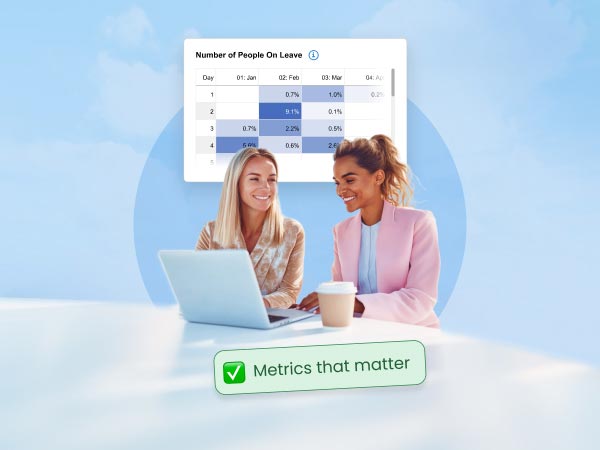
There are many digital solutions available to help you collect, analyse and report on your people data. Our absence reporting tool enables you to create and automate daily, weekly, monthly, quarterly and yearly reports – so you can not only get the data you need at your fingertips, but significantly reduce the time it takes to create them.
With all your absence data in edays, which also includes leave management and time & attendance functionality, you can be confident that your data is accurate and available whenever you need to dig a little deeper.